
ARES CF-33 Field Dashboard
Offline Electron dashboard for the Toughbook CF-33 that organizes ARES field software, mission packs, PACE plans and operator logs, with no cloud and no auto-transmit.
Live demo
Section titled “Live demo”Open the live demo. It opens the real field dashboard interface in your browser.
- What runs: the dashboard’s React interface, compiled from the repository, with its built-in default settings (mission packs, PACE plan, checklists, hardware list and launcher list). The Windows user folder in the default program paths is shown as
C:\Users\Operator. - Try: switch mission packs, tick checklist items, edit the PACE plan or settings, and add an operator log entry. Changes last until you close the tab.
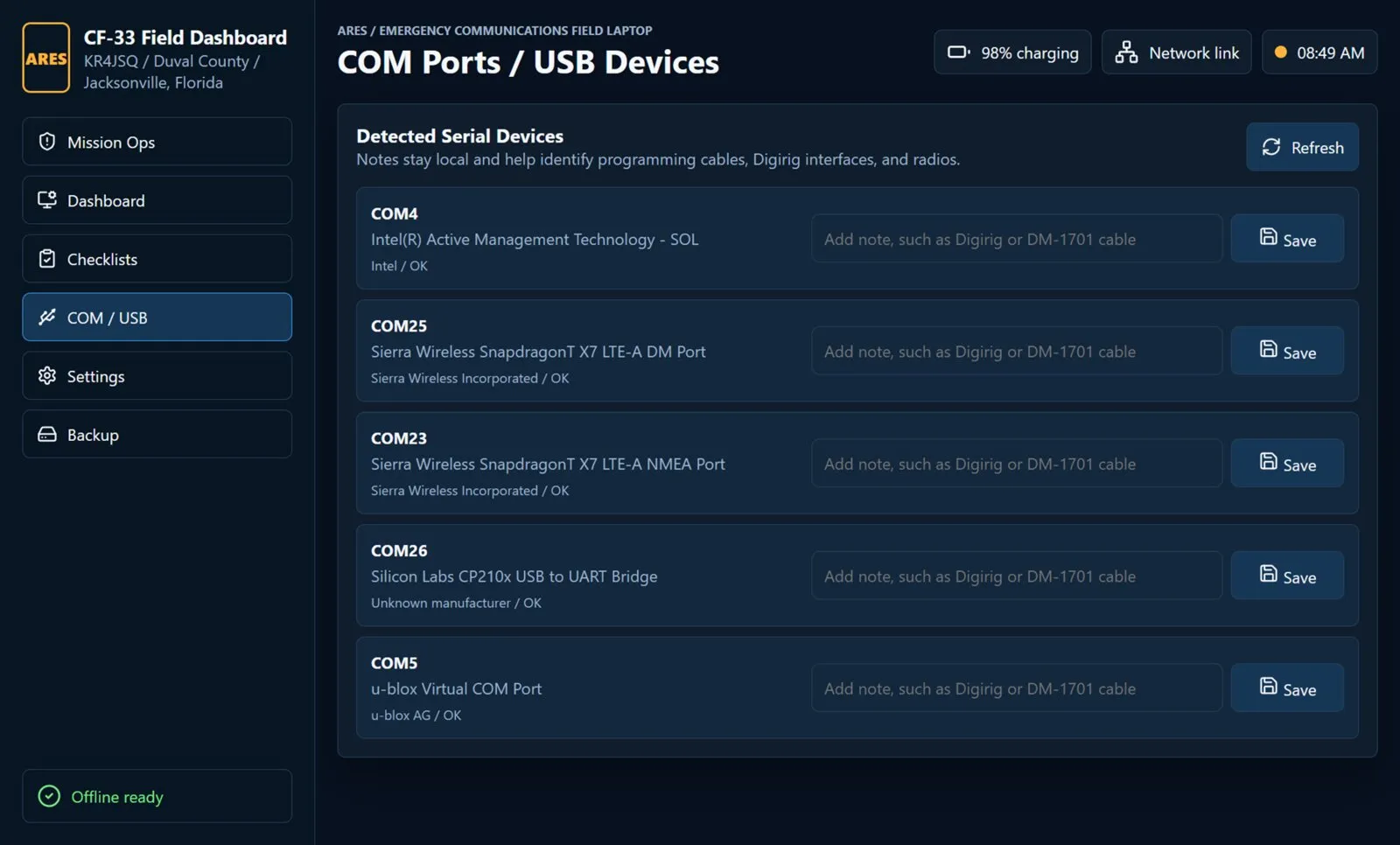
- What it is not: buttons that start programs, open folders or pick files belong to the Toughbook. In the browser they say what they would do. Readiness checks show “Missing” because a browser can’t see the Toughbook’s drives. The two COM ports are demo entries. Battery and network come from your own browser.
Source: kept in a private GitLab repository under Signal & Systems Engineering, LLC. The code is not public and there is no source download. The demo ships only the compiled interface. The Electron main process, my settings files and logs are not included.
Screenshots
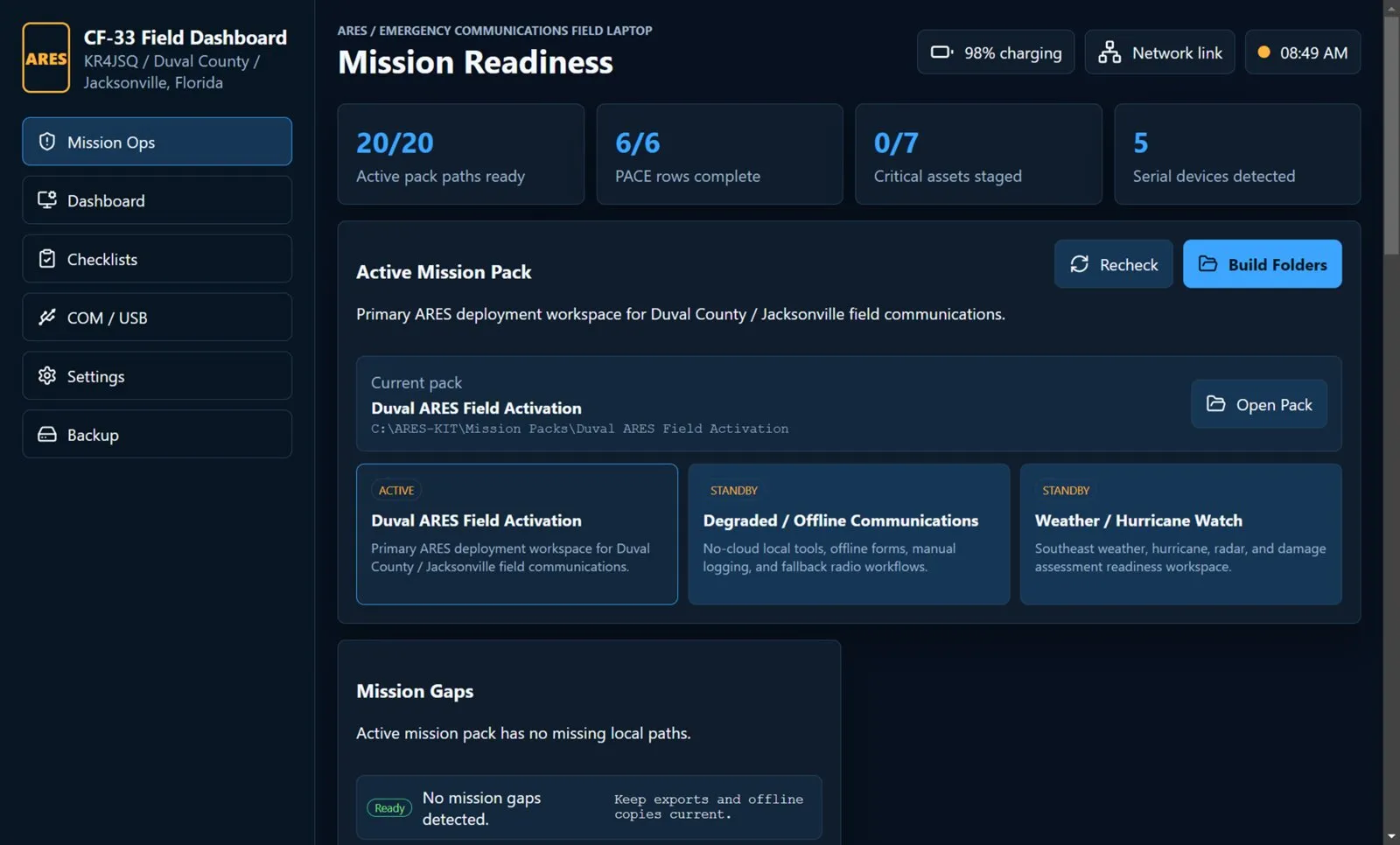
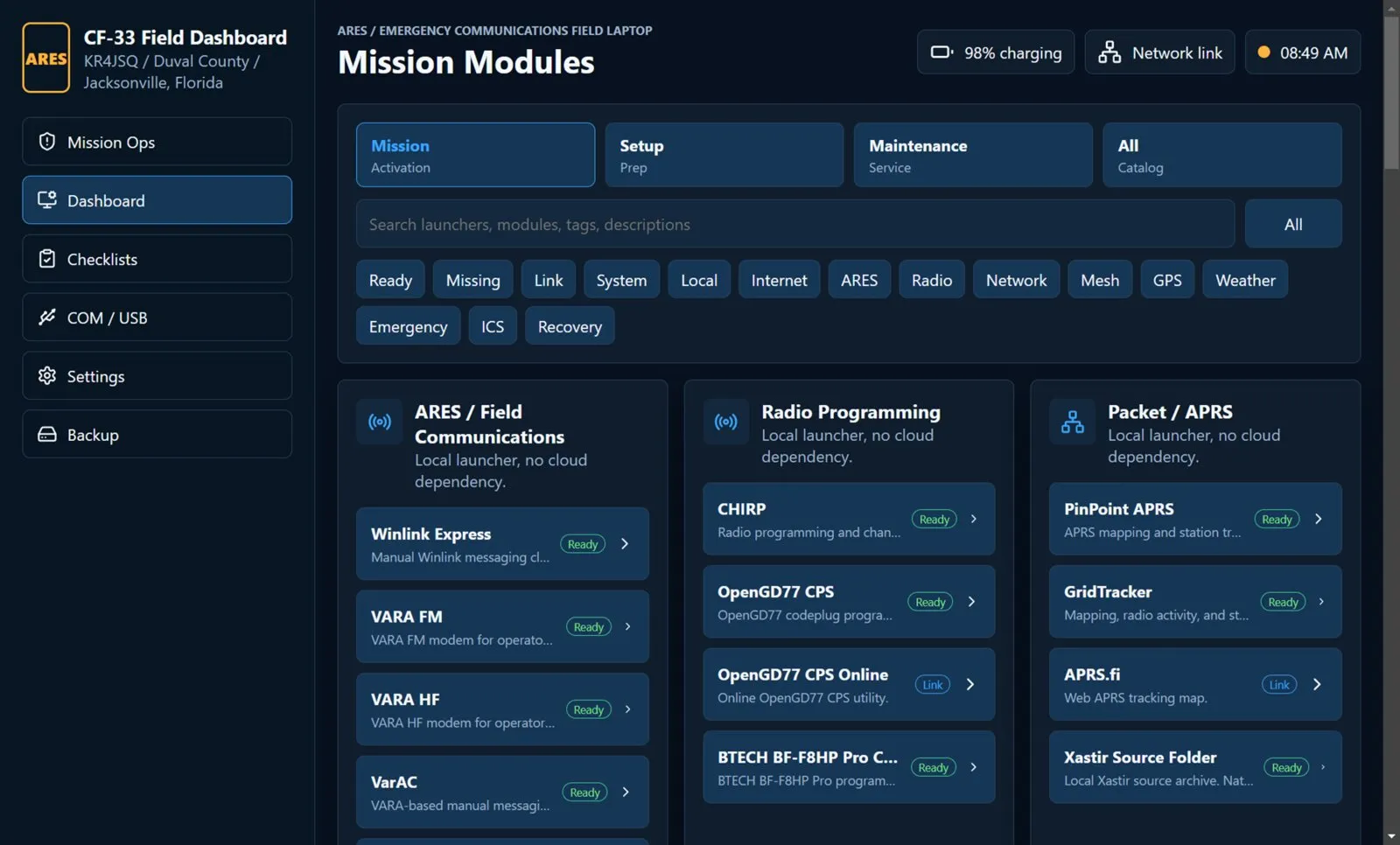
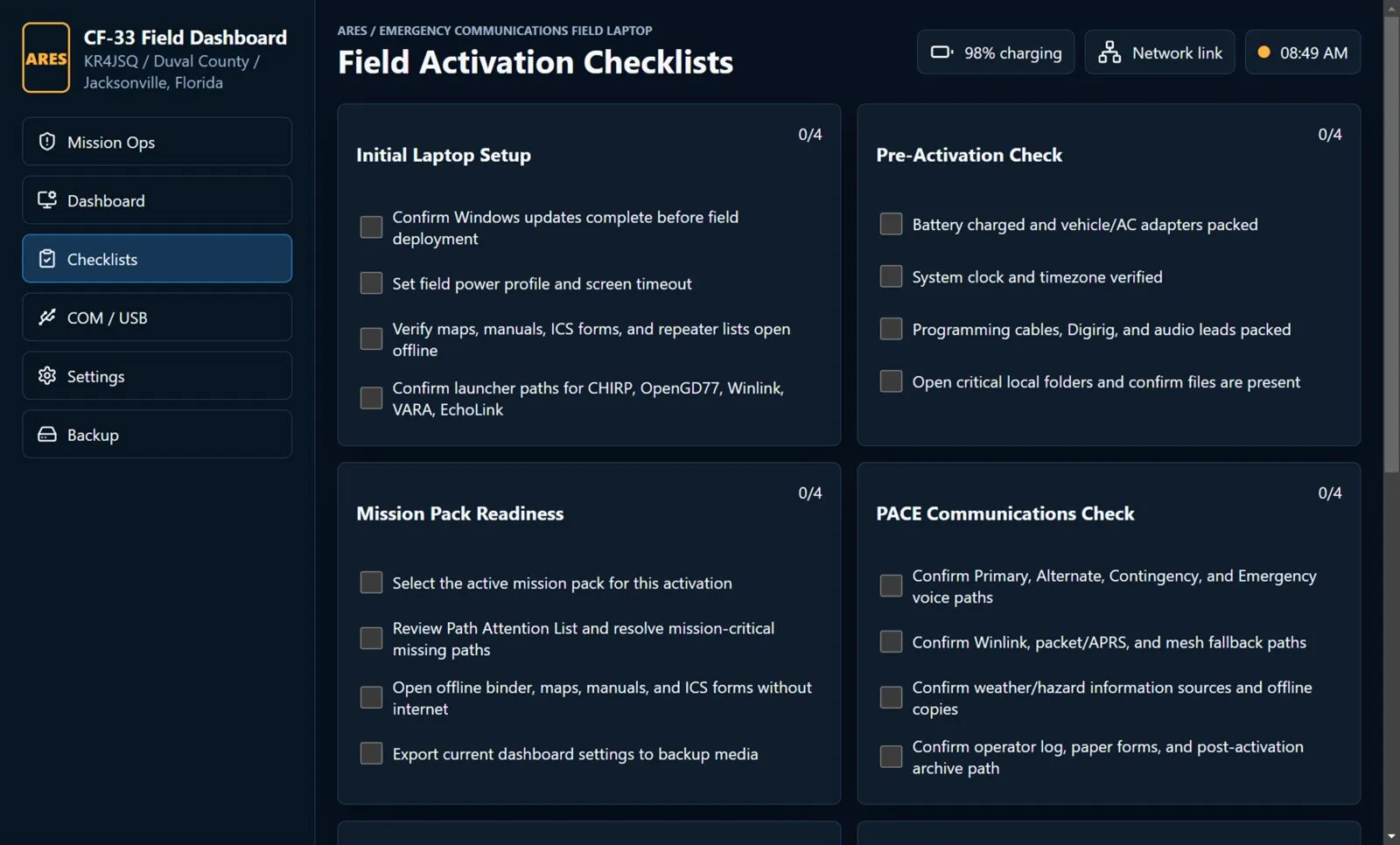
Section titled “Screenshots”These are from the built Electron app, run on 26 Oct 2026 with an empty settings profile in a 1400 by 900 window. Nothing was configured beyond the defaults; the only identifier on screen is my public callsign.
Release
Section titled “Release”Release details
- Version
- 0.1.0
- Platform
- Windows 11 on Panasonic Toughbook CF-33
- Stack
- Electron, React, TypeScript, Vite
- Packaging
- Electron Builder (NSIS installer)
- Storage
- Local JSON only
- Network
- None required; web links open only when clicked
- Built with
- OpenAI Codex
Source: Project README and package.json (repository not public)
When an activation starts, every tool an ARES operator needs should be one tap away on the field laptop, and it should work with no internet. “Done” means one touch-friendly screen that launches the radio, Winlink, APRS, mesh, GPS, weather, ICS forms and documentation tools, shows which ones are installed and which are missing, and keeps the mission context (plan, PACE matrix, hardware staging and operator log) in one place.
Constraints
Section titled “Constraints”- Hardware: Panasonic Toughbook CF-33 on Windows 11, used with gloves and in sunlight, so the interface is touch-first with light, dark and high-contrast modes.
- Offline: no cloud dependency, no telemetry, no account and no paid service. External web resources are labeled as links.
- Safety: the dashboard never transmits on amateur radio, never keys PTT, never schedules or bridges traffic, and never switches vehicle lighting on its own.
- Non-destructive: setup actions create missing folders and starter files only. They never delete or overwrite existing files.
Architecture
Section titled “Architecture”Electron main process ─► local JSON settings (Windows user profile) │ │ │ └─► import / export backup ▼React renderer (touch UI) ├─ Launcher catalog ─► checks each target: Ready · Missing · Link · System ├─ Mission Ops ─► mission packs · PACE matrix · hardware staging · operator log ├─ Field checklists ─► local progress └─ System status ─► COM / USB serial ports · battery · network · clockNew default launchers merge into existing settings by a stable ID, so an update never wipes the operator’s custom paths.
Mission Ops
Section titled “Mission Ops”Mission Ops is the deployment cockpit for degraded environments. It keeps the current activation context in one place:
- Mission packs: Duval ARES activation, degraded or offline communications, and weather or hurricane watch operations.
- PACE communications matrix: primary, alternate, contingency and emergency paths across voice, Winlink, APRS, mesh, weather and documentation fallbacks.
- Hardware staging: critical computer, radio, power, digital, GPS, storage and paper-binder assets.
- Operator log: status, decisions, issues, safety notes and field observations, stored locally.
- Mission gap summary: uses the same Ready, Missing, Link and System logic as the launcher, so a missing tool shows up as a mission gap.
Mission Ops is only for planning and logging. It does not transmit radio traffic, bridge services, schedule messages or control vehicle hardware.
Launcher modules
Section titled “Launcher modules”The 109 launchers are grouped into 22 modules, with field communications at the top and maintenance and recovery lower down:
| Field operations | Support and maintenance |
|---|---|
| ARES / Field Communications | Network / Wi-Fi Diagnostics |
| Packet / APRS | USB Device History |
| Mesh / LoRa / AREDN | Windows Control Panel / Maintenance |
| GPS / GNSS Tools | System Health |
| Weather / Hazards | PDF / Documents / Field Files |
| ICS Forms / Field Documentation | Storage Cleanup |
| TAK / Field Situational Awareness | Secure Credentials |
| Radio Programming | Media / ISO / Recovery |
| Emergency Management | Evidence / Video |
| SDR / Monitoring | Developer / Cloud Tools |
| Maps / Situational Awareness | Vehicle Systems |
The search box filters by title, module, tags or description. Quick filters cover Ready, Missing, Link, System, ARES, Network, Mesh, GPS, Weather, Emergency, ICS and Recovery.
Local data
Section titled “Local data”Settings are stored as JSON in the app’s data folder for the Windows account. They include the operator profile, mission packs and the active mission, PACE plan rows, hardware staging inventory, operator log entries, launcher paths and metadata, folder paths, COM port notes, checklist progress and hardware profile flags. The Backup / Recovery screen exports or imports all of it as one JSON file.
Parts list
Section titled “Parts list”| Part | SKU | Price | Key specs | Source | Status |
|---|---|---|---|---|---|
| Panasonic Toughbook CF-33 | TBD | TBD | Windows 11, touchscreen | TBD | Installed |
| Radio and digital-mode software (Winlink, VarAC, APRS, mesh tools) | TBD | TBD | Launched by the dashboard, not bundled | TBD | TBD |
Configuration
Section titled “Configuration”- Launcher types: program, folder, document, template folder, URL, Windows system command or settings URI, and explicit local command.
- Settings editor: every launcher path, folder, link and command can be changed in the app and is saved locally.
- Field kit folders: a one-click action builds the standard field kit folder tree (radio programming, Winlink, ICS forms, maps, manuals, mission packs, PACE plans, inventory, offline binder, logs, recovery and more) and adds CSV starters for the PACE matrix, hardware inventory, operator log and tactical call sign roster, only when they do not already exist.
- Helper scripts (PowerShell): a dashboard health audit, an offline software manual library builder, and a controlled installer for the field kit software.
Build steps
Section titled “Build steps”npm installnpm run devfor development, or double-clickLaunch Dashboard.cmdto run it like a field app.npm run buildfor a production build.npm run build:winto produce the Windows installer.
Testing and verification
Section titled “Testing and verification”| Area | Status |
|---|---|
| Dashboard health audit (2026-05-20, on the CF-33) | 109 launchers, 52 folders, 8 checklists, 3 mission packs, 6 PACE rows and 11 hardware assets in the catalog. No duplicate launchers, no missing launchers, no path mismatches and no mission reference issues. 207 offline PDFs in the kit, none invalid. |
Type check (npm run typecheck) |
Not yet reported here |
| Windows installer build | Script exists; a tested installer has not been published |
| Automated UI tests | None yet |
Unverified
The audit numbers above come from the dashboard’s own health report on the field laptop. They were not re-run for this page.
Safety notes
Section titled “Safety notes”- The dashboard is a planning, launching and logging surface only. All radio traffic stays a direct operator action in the radio software itself.
- Vehicle lighting is reachable only through an explicit launcher that opens the Vehicle Light Controller, which keeps its own visible ALL OFF control.
- Any future action that writes to hardware should require confirmation and a local log entry.
Lessons learned
Section titled “Lessons learned”- Showing Ready or Missing next to every launcher turns the dashboard into a readiness check. A missing tool is found at home, not at the incident.
- Merging new defaults by stable ID is what makes it safe to keep improving the catalog on a laptop that is already configured.
Open items
Section titled “Open items”- Run and publish a type check and installer build result for the next release.
- Decide whether the repository will be public.
Changelog
Section titled “Changelog”Start date set to Spring 2026.
Rollback: Revert the commit that made this change.
Project page published.
Rollback: Revert the commit that added this page.